Comparing startup credit programs from cloud and AI companies? See the startup credits comparison.
If you're building an AI product, a SaaS, a developer tool, or anything online that needs servers, a database and file storage, Cloudflare has a startup credit that fits one-person companies well:
$10,000, valid for one year.
Under Cloudflare's current tiers, teams that are bootstrapped, self-funded, or have raised under $1M all fall into the $10k tier. There's no minimum funding, no team-size requirement, and you don't need to join an accelerator first.
If you already have a company (if not, start with the US LLC state comparison), you're building a tech product, and you have a product website, an email on your company domain and at least one public account, you can apply directly.
This guide first answers the important question: what can $10,000 actually do, and is it worth applying for? Then we'll go through the application step by step.
What $10,000 does for a one-person company
For an early-stage company, Cloudflare's biggest value is putting everything an online product needs on one platform, not just handing you a bigger server.
Think of it like this:
| What your product needs | Cloudflare service to use |
|---|---|
| Website and frontend pages | Pages |
| APIs, background jobs and business logic | Workers |
| Relational database | D1 |
| User sessions, config and cache | Workers KV |
| Images, attachments, audio, video and model files | R2 |
| Async tasks and workflows | Queues, Workflows |
| Real-time collaboration or stateful services | Durable Objects |
| Image processing and video playback | Images, Stream |
| Calling AI models in your product | Workers AI |
| Faster dynamic traffic and caching | Argo Smart Routing, Cache Reserve |
One person can build a complete product on Cloudflare, from web pages, APIs, database and file storage to AI inference, without juggling several cloud providers from day one.
On top of that, every tier includes up to three Enterprise domains, unlimited Business and Pro plans, plus CDN, DNS, DDoS protection, WAF, SSL and other security and networking features. These are plan benefits; they aren't deducted bit by bit from your $10,000 balance.
For a one-person company, the credits are most useful in three ways:
First, they cut your first year of infrastructure cash spend.
You can put your limited cash into customer acquisition, design, content and testing demand.
Second, they let you test with real traffic.
When your product suddenly gets shared, users upload lots of files, or people start using your AI feature, you don't have to shut things off over a surprise bill of a few hundred dollars.
Third, they make it possible for one person to run a whole product.
With compute, data, storage and security on one platform, you deal with fewer accounts, bills and configurations.
How much is $10,000, really?
Spread over a year, $10,000 is about $833 a month of Cloudflare usage.
Here are a few conversions using Cloudflare's current public prices.
If you mostly run APIs
Cloudflare's official Workers pricing example uses this workload: 100 million dynamic requests a month, averaging 7 ms each, for about $45.40 a month.
Of course, different code takes different amounts of time, and the bill will vary. But the example shows that for most one-person companies still validating a product, $10,000 is a generous first-year budget, far more than a small coupon that lasts a few months.
If you mostly store files
R2 Standard storage currently costs $0.015 per GB per month, and there are no egress fees for serving files.
Counting storage only and ignoring read/write requests, $10,000 would let you keep about 55,000 GB, roughly 55 TB, stored for a full year.
A real product will make read and write requests too, and won't spend all its credits on R2. The point of the conversion is that it covers a lot of images, attachments, installers or video assets, far more than "a few months of free cloud storage."
If you mostly stream video
Cloudflare Stream currently charges $1 per 1,000 minutes of video delivered.
Counting delivery only, $10,000 buys 10 million minutes, about 167,000 hours of viewing. Video storage is billed separately, but encoding and bandwidth are included in the price.
These conversions only show the scale. In practice you'll usually combine Workers, D1, R2, Images, Stream and Workers AI.
One thing to know up front: in the $10k tier, Workers AI can use at most $2,500 of credits. So if you're building an AI product, the credits can help pay for model calls, but you can't spend the full $10,000 on Workers AI.
Which one-person companies should apply
Check yourself against this list:
- You've registered a for-profit company, founded no more than 10 years ago;
- You're building software, AI, SaaS, developer tools or another tech product;
- You have a publicly accessible website that makes clear what the product does;
- You have a company email on the same domain as the website;
- You have at least one active public account on LinkedIn, X or GitHub;
- This company hasn't been approved for the Cloudflare Startup Plan before;
- You're bootstrapped or self-funded, or have raised less than $1M in total.
If all of that is true, you're in Tier 3, the $10k tier.
One thing the official page itself leaves unclear: the eligibility checklist also includes "Funded within the last 12 months," while the same page says Tier 3 needs no funding at all. Cloudflare doesn't explain how the two apply together. My reading is that bootstrapped teams apply for Tier 3 as normal. If you have raised money but your last round was more than 12 months ago, or your company age or funding stage sits right on a boundary, email startups@cloudflare.com first rather than stretching the rules yourself.
Five things to prepare before you apply
The form itself is only four pages and isn't hard to fill in. What takes time is getting these five things ready.
1. Product website
The site needs to load, and someone seeing it for the first time should quickly understand what you're building, who it's for, and whether it's in development or live.
2. Company domain email
If your site is example.com, apply with name@example.com. Don't use Gmail, Outlook or another personal email.
This is an eligibility requirement Cloudflare currently states explicitly.
3. One public account
Have at least one of LinkedIn, X or GitHub ready, ideally showing that the project is still moving.
A developer product can use GitHub, a project built in public can use X, and a team with a full company profile can use LinkedIn. These fields are marked optional on the form, but the program requires at least one active public account, so don't leave them all blank.
4. A Cloudflare account and a payment method
Create your Cloudflare account in advance, verify your email, and decide which account will actually host your product.
You'll connect this account during the application. Once approved, the credits go to the account you selected and can't be moved. If you see several accounts after signing in, don't just pick a personal test account.
Cloudflare also requires a valid payment method on the account. You can add one ahead of time on the account's Billing page. Applying is free; the payment method covers products the credits don't, plus any usage after the credits run out or expire. If you plan to pay with your company's US bank card, see the US bank account comparison.
5. Accurate company and funding details
Have your company name, founding year, office address, current funding stage and total funding range ready.
If you haven't raised money, choose Bootstrapped / Self-funded.
Apply in four steps
Open Cloudflare for Startups and click "Apply now!" to open the current four-page form.
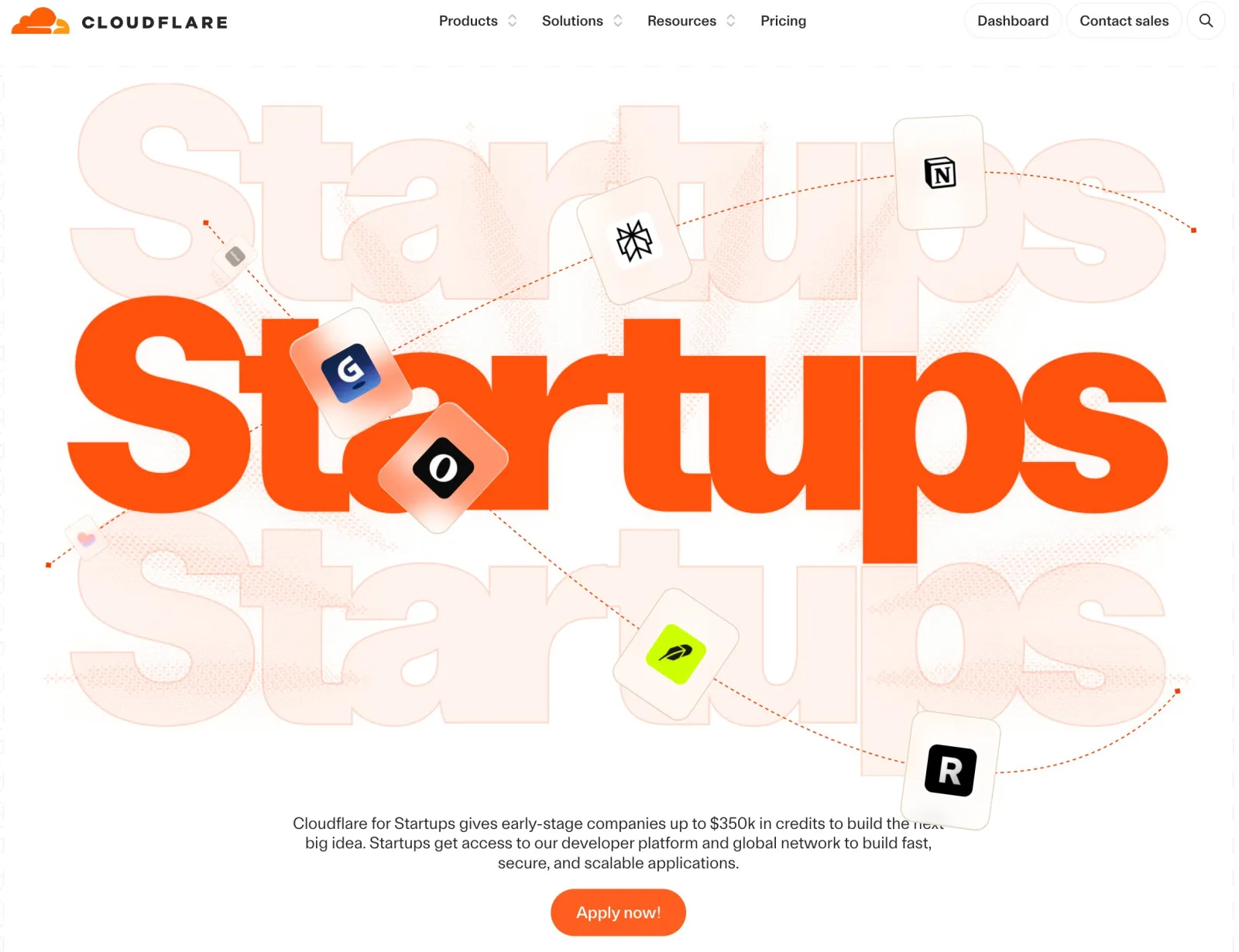
The simplest route: fill in your company and website truthfully, connect the Cloudflare account that should receive the credits, choose Bootstrapped / Self-funded as your funding stage, leave the partner page blank, and submit.
Here's what's on each page:
Page 1: Company details
Only three fields are required:
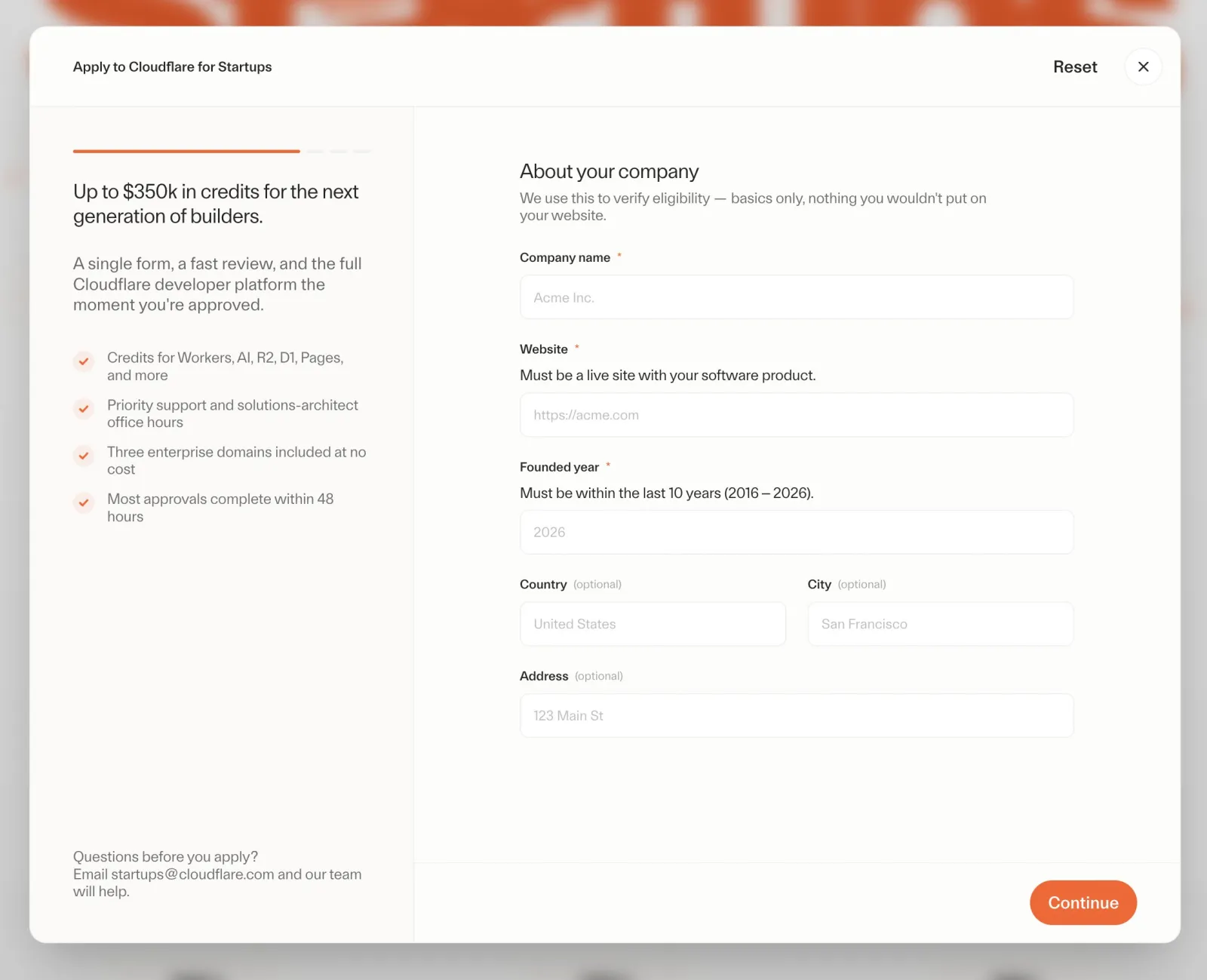
- Company name;
- Product website, as a full address including https:// or http://;
- Year the company was founded.
Country, city and street address are currently optional. I'd still fill them in truthfully so your company name, website and company email all line up.
Page 2: Connect your account and add a contact
First click to connect your Cloudflare account, sign in, and choose the account that should receive the credits.
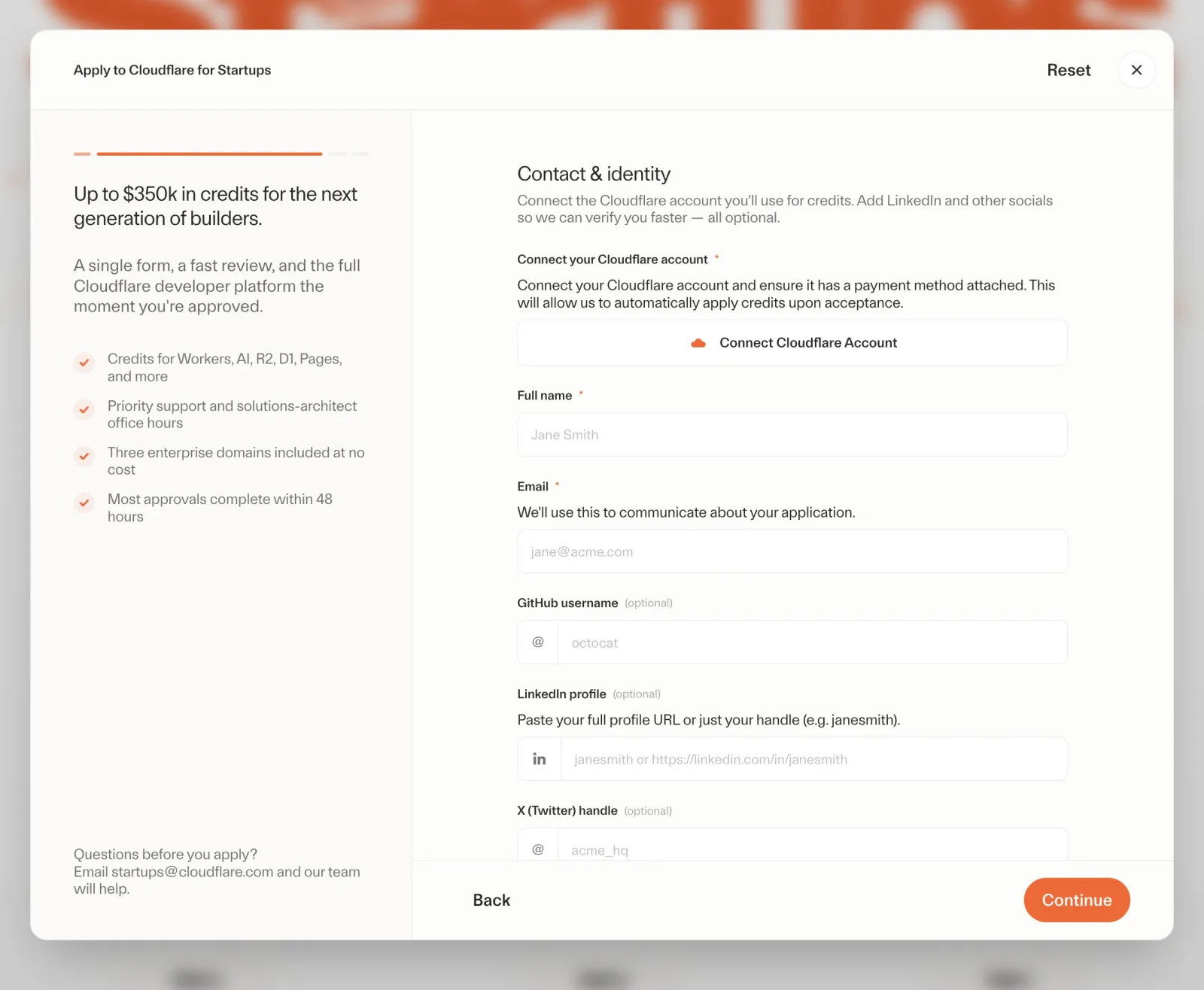
Then enter the contact's name and company email. Fill in GitHub, personal LinkedIn, X and the company LinkedIn page as they apply, and include at least the one public link that best shows the product is moving.
If connecting the account tells you there's no payment method, go back to the Billing page in Cloudflare, add one, and then continue.
Page 3: Funding stage
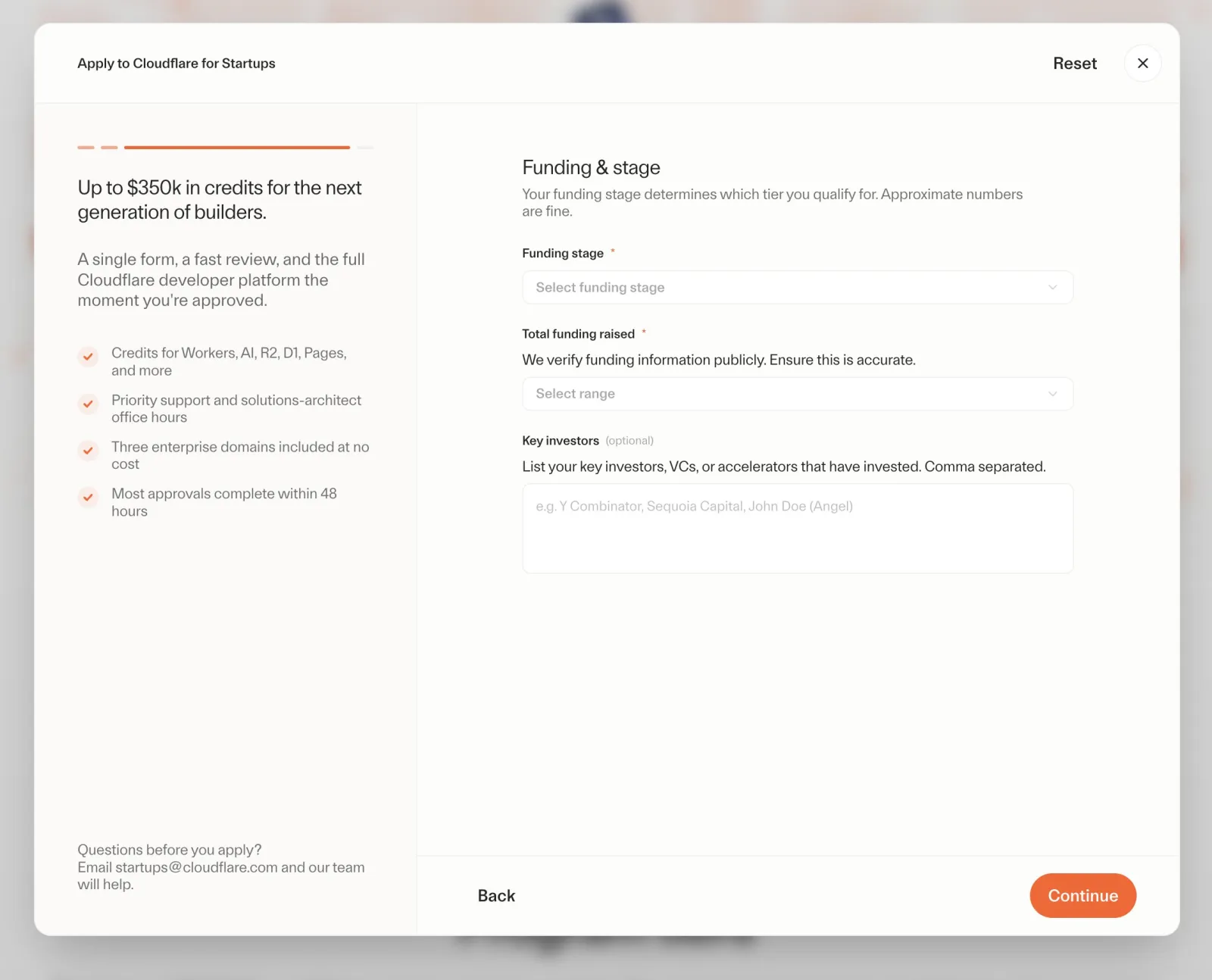
There are five funding stage options:
- Bootstrapped / Self-funded;
- Pre-Seed;
- Seed;
- Series A;
- Series B+.
A one-person company or self-funded project should choose Bootstrapped / Self-funded. Once you pick it, you don't need to enter a total funding amount.
If you have raised money, pick the honest range: under $1M, $1M–$5M, $5M–$10M, or $10M+. Key investors are optional.
Page 4: Partners and referrals
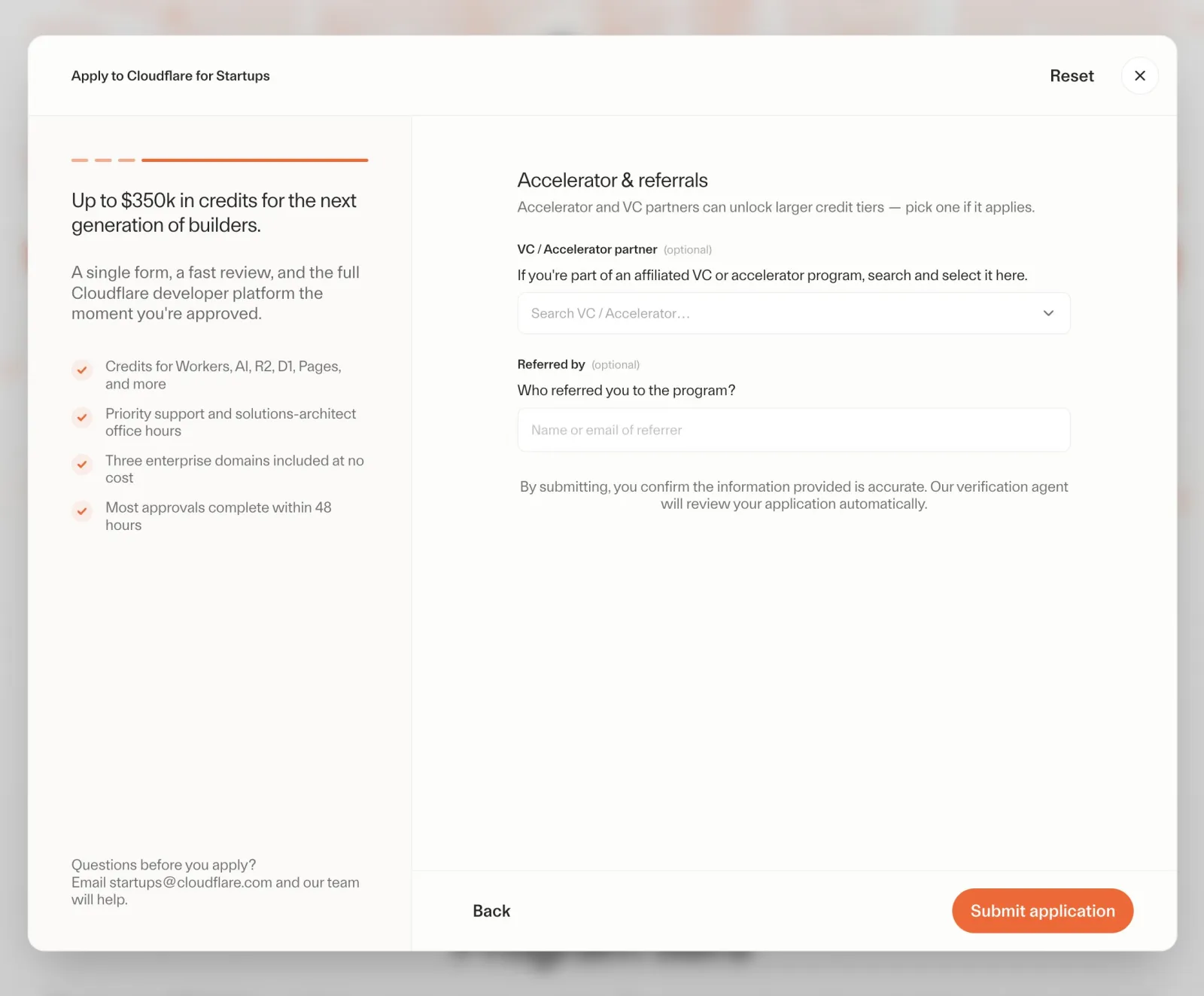
This page is mainly for teams that have been through a VC, accelerator or startup program.
If you have, search for the organization and add your batch and referrer. If it isn't listed, choose Other and type it in.
If you're a bootstrapped one-person company, there's no need to hunt down an accelerator just to get $10k. You can leave the partner fields empty and submit.
When you're done, click Submit application. Cloudflare checks your company domain, eligibility and the account that will receive the credits.
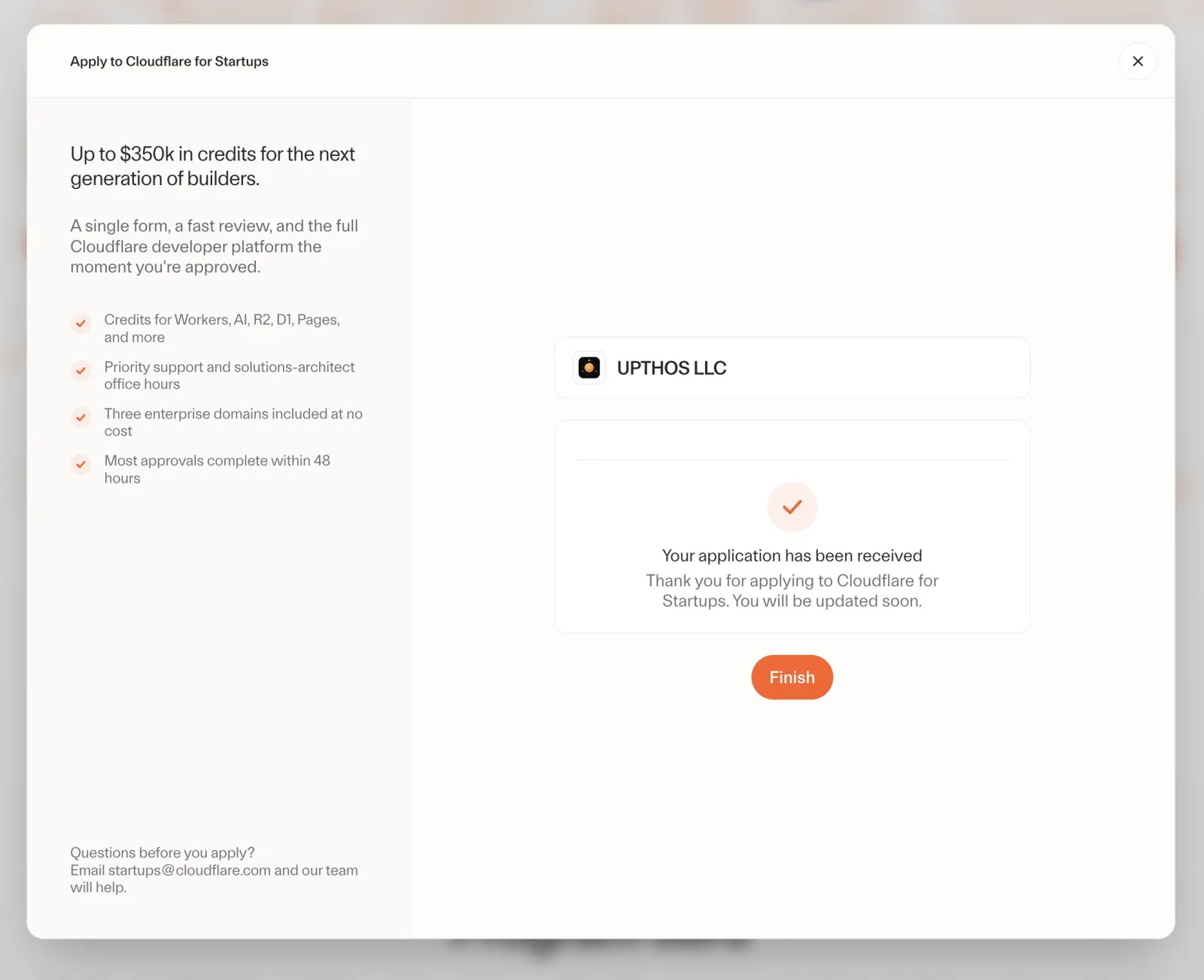
Cloudflare currently says review typically takes up to 48 hours, and the result is sent to the email on your application. If you don't hear back, check your spam folder first; if it's been more than a week, email startups@cloudflare.com.
Checking your credits after approval
Once you get the approval email, sign in to the Cloudflare account you connected, confirm the credits landed in the right account, and note the start and end dates.
Then look at three numbers:
- Your total credit;
- How much you've used so far;
- Which products have their own caps.
After that, checking your invoice once a month is enough. It lists actual usage, credits applied and charges that weren't covered. That way you know your product's real infrastructure cost, instead of seeing full prices for the first time when the year is up.
Five things to remember after you apply
Just be aware of these; none of them is a reason not to apply.
- Credits last one year, or until used up.
- They can't be extended after expiry or moved to another account.
- The account must have a payment method.
- Once credits run out or expire, or if you use products outside the plan, charges are billed normally.
- Some products have their own caps.
- R2 can use at most $10,000 of credits; in the $10k tier, Workers AI can use at most $2,500.
- Not every Cloudflare product is covered.
- AI Gateway, domain registration and renewal, China Network and some others aren't covered by the credits.
- Each startup can join only once.
- Credits can't be exchanged for cash, sold or transferred.
The simplest approach: once the credits arrive, set up usage alerts, and in month 9 work out what your monthly cost would be without credits. That leaves three months to decide which features to keep and which to change.
Closing thoughts
The biggest number on Cloudflare's page is $350,000, but that's not the part most one-person companies should focus on.
What's broadly useful is this: without raising money or joining an accelerator, you can apply directly for $10,000 that covers a whole online product's infrastructure for its first year.
If you already have a company, a product website, a domain email and a public account, the application is simpler than you'd think. Using $10,000 to take your product from "it runs" to "people use it" is more practical than figuring out how to dress yourself up as a bigger funded team.